DVD-quality lessons (including tabs/sheet music) available for immediate viewing on any device.
Take your playing to the next level with the help of a local or online flatpicked guitar teacher.
Monthly newsletter includes free lessons, favorite member content, flatpicked guitar news and more.
Premier Sponsors


|
Please note this is an archived topic, so it is locked and unable to be replied to. You may, however, start a new topic and refer to this topic with a link: http://www.flatpickerhangout.com/archive/22016
Jim Yates - Posted - 05/29/2011: 15:07:31
I've noticed something strange happening with my photos in this post http://www.flatpickerhangout.com/topic/21878/
I've added two photos from one of my albums using the "Add attachments" feature. When I've done this before, the pictures appear in a smaller format, but if I left click on the picture, it will appear in a larger format. When I click on these pictures, they jump into Pastor Harry's post at the top of the page and take the place of his photo.
MGK - Posted - 06/06/2011: 18:32:15
When I click on your photos, I get a larger pop-up window, but they are both blank white pages and neither photo appears. Other than that, I guess that's probably not much help, but at least you know that's what's happening on this end!
Jim Yates - Posted - 06/06/2011: 18:44:02
Yes, I get that too, but when I look at Pastor Harry's post at the top of the page, I find that my picture has taken the place of his.
They seem to work fine here.
Edited by - Jim Yates on 06/06/2011 18:44:57
 The Rovers Three, circa 1960 | 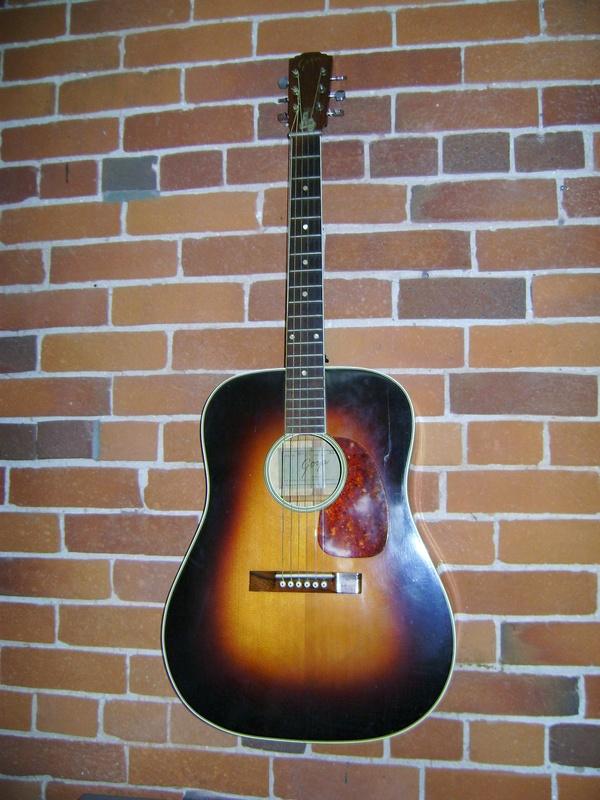 1958 Goya M-26 |
MGK - Posted - 06/06/2011: 18:51:01
OK, I get the same thing you are getting! Hmmm, must be some weird coding problem with the website, that's all I can figure! My knowledge of web pages and HTML is pretty limited.
Terms of Use | Privacy Policy | Privacy Consent (EU/GDPR Only)
Copyright 2026 Flatpicker Hangout. All Rights Reserved.


